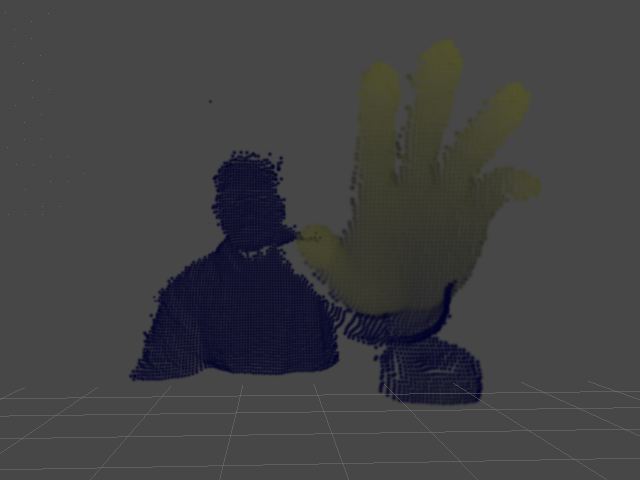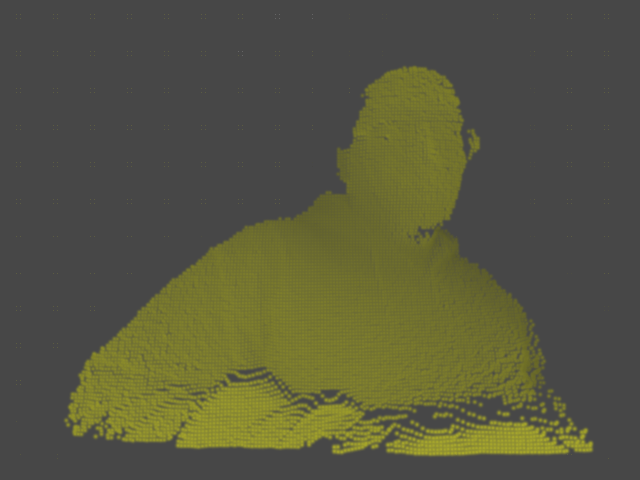
Sunday, May 3, 2015

...Hostile, Agile


TL;DR: Once again, Carmack was right. Go Mobile, Young Man, Go Mobile.


    Holy Jeebus, that’s right! I have a design and prototyping blog too, no, no, just kidding, I didn’t forget about it, in fact, I have so much stub content written that’s just waiting to be finished and published that you’d think...whatever one thinks about the aforementioned situation? More book reviews in the works, some mindset stuff as well, just need to get out from under May (Mai? insert joke about hot asian women and reverse cowgirl?) and content will start flowing again.


Mmm...Mai. More great work at http://pop-lee.deviantart.com/

    To that, I’ve been in Android development land for the last couple weeks, working on...oh, of course it’s something I can’t talk about yet, you should all know that by now, but if I pull it off, it’ll be pretty cool. I can say that it may end up being a stage demo for Google I/O, and while my specific part of it won’t be that cool in and of itself, the total package I think’ll be pretty sweet and I actually hope it’s something that people pick up on. Like most of the tech I'm working with, I don't know how consumer friendly it is, but I think in the right hands it'll be inspirational, and could definitely pave the way for consumer uptake. Hopefully I haven't just violated my work NDA...

    Anyway, after two or three weeks of learning Android basics, Android Studio, and OpenGL ES, I’ve finally got a build running on a device, my trusty Tango tablet, well, actually more like my poor, neglected Tango tablet that I haven’t done anything with yet, but I digress...Yeah, it was a bit of a long process, but that’s how I learn new languages and platforms, more on that later. It’s a little thing, but I'm actually really excited by the simple prospect of having an OpenGL ES app fully deployed to a platform, Android, well, "mobile" development has certainly become more of an interest in the last few weeks. If you’ve been thinking about developing for Android and ESPECIALLY developing OpenGL ES based stuff...DO IT!! The world needs more resources and more folks actively banging on this stuff for things other than games, so Join Me In My Quest!!


The Fellowship of the...AVD?

    Seriously, it's a bit of a wild west, there aren't a ton of resources available for learning OpenGL ES on Android, and god help you if you're trying to learn the Android build chain AND OpenGL ES at the same time. The currently existing resources, well, they're a bit spotty on effectiveness, at least in my opinion, but again, once Mai is done with me, I'll try and put together my findings, hopefully they'll be useful to someone, and I encourage more folks to do the same. I'm sorta tempted to do an ES 3 tutorial series similar to what I did with my Cinder::gl Tutorials, but ES 3.0 is close enough to stock OpenGL that you could just learn OGL 3.2/3 and then brush up on the Android (or whatever your platform of choice's) buildchain. Hmm...maybe a "Learning OpenGL ES with Android Studio"? ...and I haven't even touched on Tango/Tegra stuff, which is a whole kraken unto itself...

    Why my sudden love, or at least technolust, for mobile development? Well, I know some folks are certainly given to agree with the below image and are probably thinking “Android, but that’s just for silly little apps, and none of the hardware platforms have the power/perf metrics to do anything REALLY cool,” well...I disagree with this, or at least, I disagree based on what I see when I look three to five years down the road, what with the likes of the Tegra X1 and beyond, ES 3, Vulkan, and whatever the Tango evolves into, all these things add up to a platform just ready to be taken forward into the future. If you have a modern android device with a decent mobile GPU, you should check out the Yebis 2 OpenGL ES 3.0 Demo on Google Play, which is from whence the shiny part of the below image cometh (cameth?). Sure, the kicker is having an OpenGL ES 3.0 capable mGPU, and I know, I know, a demo is not a full app and doesn't have the same power/perf profile (don't you be tellin' my nu'n 'bout demos, BOY!), etc, etc, but if we should all know anything about hardware, it's that it doesn't stagnate, and I don't see that trend slowing down.
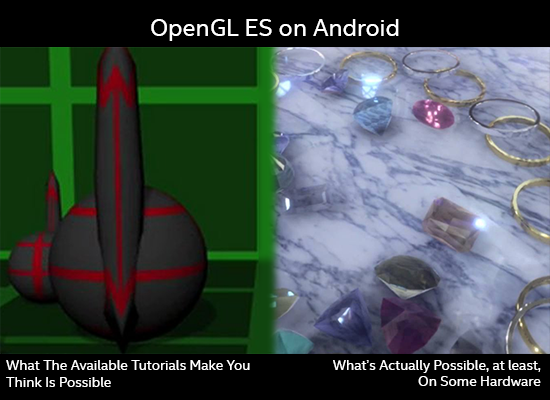

True Story, Bro.

    So I’m excited now, mobile has come to mean something completely different to me in the last couple of weeks, mobile isn’t just phones and tablets, it’s Oculus, it’s Vive, it’s HoloLens, it’s most certainly things like GearVR and Wearality, but it’s also the intersection of all those things and current mobile devices and paradigms. Gotta say, at first I thought Carmack was a little crazy, but no, I think I get where he’s coming from and I’m on board for it. My big issue with VR and HMDs up till now has been the idea of people just sitting alone in dark rooms with displays wrapped around their heads, and I think that's definitely an acceptable use scenario, but I didn't want it to be the only one. Given the new perspective that I think we can all take on "mobile", I don't think it will be.

    Alright, back to it. Nothing earth-shattering or groundbreaking here for sure, just some thoughts. I just got back from //build, and I'm definitely excited about Windows 10 and Universal Windows Platform too, so I'm not just a late-to-the-party Android sycophant, well, based on what I've said, I may actually be early to some party, so I think I'm alright. The mobile future is certainly shaping up to be...interesting times. Here's to it, and hopefully my next post will have some actual useful stuff (curse you, Mai! But keep doing what you're doing...). I'll leave with a bit of shiny just so this post isn't totally useless, a short vid of my aforementioned first build, gotta love that early 90s demoscene aesthetic! Cheers!

A video posted by Seth Gibson (@djtomservo) on

Monday, March 23, 2015

Book Review: Learning C++ by Creating Games with UE4


    The past week I’ve pretty much jumped into UE4 programming feet first with my boots on, and I gotta say it’s been pretty fun. As I mentioned on twitter, good on Epic for providing a great UX for developers, so often people tend to think UX only applies to non-code content creators and end users, but as a someone who spends most of his time writing code, having a smooth flow from IDE to Build is awesome, especially given the fact that with something like UE4, it’s not just as simple as hitting the build button and clicking “Start Debugging” (although, with UE4 it actually is, which is a monumental feat). Props to Celia Hodent and the rest of the Epic UX crew, next time you guys are in the bay area, drinks on me.

    I have to say it hasn’t been lack of wanting that’s kept me out of UE4 up ‘till now, I was excited as anyone to get started last year, it’s been more due to a lack of available resources coupled with lack of available learning time. Seems the universe is doing that thing where it gently nudges me in a direction again though, and as I’ve had some projects come up at work recently that are less research and more production (and also require a high degree of shiny), combined with the aforementioned availability of resources, it seems like the perfect time to dive in. Sadly, I can’t give any specifics on what I’m working on just yet, but let’s just say...Good Hunting.


...and UE4 is definitely good at shiny. (Atlantis by Allegorithmic)

    To set some context for my review - In my search for learning resources, there were some specific “filter settings” I applied:
  1. Having prior C++ knowledge, I didn’t want something that focused too much on the basics of C++. Ideally, I’d like a “UE4 Programming for C++ Programmers” type of thing.
  2. I didn’t want something that focused too much on Blueprints other than how to implement custom Blueprints. I’ve seen quite a few tutorials that promise to teach UE4 programming but only touch on C++ just enough to get you into Blueprints, then all the actual heavy lifting is done in Blueprints, even thought it could be done in C++. I need to be “close to the metal,” as the kids say.
  3. I also didn’t want something that only focused on implementing gameplay features. I know that’s a tall order since it’s a game engine (and hey, I was a tech artist for 10 years, I know tools development and the like isn’t sexy), but ideally I’d also like to learn how to implement lower order functionality, say Blueprints for utility functions or how to wrap external libraries for use in UE4.
    Of course, since I’ve only been able to find this one book on UE4 C++ Programming, this criteria may be moot, although I just got wind of another text coming out end of next month, and though I’m not totally sanguine on paying college textbook prices anymore, I'll definitely be giving it the once over as well. Getting back on topic though, how does Learning C++ by Creating Games with UE4 stack up to my scrutiny?

    Given my first criterion, I can’t comment on the first seven chapters, but even if I could, I probably wouldn’t. One of my personal beliefs (validated through experience, mind you), is that using a tool like UE4 to teach a programming language isn’t the best approach, there are just too many other topics to contend with. Definitely not a knock on UE4, I mean, if I were going to teach someone C#, I wouldn’t use something like Unity either (for reasons I may detail in another blog post).


...pretty, but all that shiny can be distractive and not quite conducive to learning to code

    So how about actually teaching UE4 programming? Well, I have to say it does a pretty good job of that, but until the next revision comes out, I definitely recommend having google and the Official Unreal Engine docs on hand. Already much of the code in the book relies on deprecated functions and paradigms, which can cause a bit of confusion on initial read and also results in build errors. No knock on the book or UE4, it should certainly be expected that the APIs are going to change, and I would advise any other author and publisher to consider any UE4 text a living document and make sure to stay on top of errata and keep the code updated. That aside, the programming projects start from a good place and progress very well. Additionally, the author provides short learning projects for the reader to implement on their own which build on the currently presented topic. Personally, I spent about 4 hours going through some of those learning projects and exploring other features, so you can definitely use these as jumping off points for other exploration. And yes, there is some Blueprint work, but only so much as necessary to get the code accessible from the editor and to teach basic workflow, so you’ll definitely be self-sufficient after working through this text.

    Sadly, the book does focus purely on implementing gameplay features, but as I stated earlier, I can’t knock the author or publisher too much for that. I have to imagine that the majority of readers who come to this text will be more interested in creating gameplay features as opposed to plug-ins or other tools, but as the APIs tend to follow common patterns and conventions, branching out into other sorts of UE4 programming tasks shouldn’t be too hard from this foundation (hopefully once the plug-in framework crystallizes a bit!).


...and there's plenty of plugin source available, so you're in good...err, hands.

    Hopefully you can gather that my overall impression of this text is positive, but there are a few things I found a bit off, though none of them are showstoppers, at least not for an experienced C++ developer. The in-line code snippets tend to gloss over a few points, things like declaring things public vs private, including headers where necessary, and other little things that, again, for an experienced C++ developer won’t provide any roadblocks, but if you're just learning C++ and have some of the first time jitters (which is to be expected!), these oversights may cause some frustrations. I think there was also a bit of a missed opportunity with Chapter 9: Templates and Commonly Used Containers. This chapter touches on array types and gives a comparison to STL types, which is valuable, but reads a bit out of place. In my opinion, this discussion would’ve been better in the first section on basic C++, which would have allowed for this chapter to provide some more UE4 specific projects and code samples showing how to work with the T* container types. Just a small thought, again, not a total showstopper.

    I guess what I’ll say is that if you’re an experienced C++ developer and you want something light that you can just work through in a weekend or so and feel comfortable in UE4, this is a great choice. Between this and the official documentation, you’ll find yourself in a good position to strike out into your own projects, whatever they be. Based on the review criteria and my own perspective as outlined earlier, I don’t know if I would recommend this to someone who was wanting to learn C++ and UE4, but like I said, I wouldn’t recommend someone learn C++ through a large content creation framework anyway. My impression based on skimming through the first seven chapters is that it teaches you enough to be comfortable working in UE4, but I don’t know that it’s going to make you a competent C++ programmer, granted that's something that only really comes from practice, but having a good solid foundation is also key. To its credit, this book will definitely give you a good foundation in modern programming basics, but C++ is a vast topic that requires some specific discussions. I would recommend instead something along the lines of the tutorials found at Cprogramming.com, LearnCPP.com, and/or CPlusPlus.com. I don’t say these things out of elitism or snobbery, it's just that since UE4 now gives you access to the FULL engine source, I think it’s really worth learning C++ properly so you can take advantage of that fact. Who knows, you too may find yourself with an opportunity to push the engine outside of its original sandbox, why not be ready to rise to the occasion?

Overall, 7 out of 10

Saturday, June 21, 2014

Getting Started With Kinect.v2 and Cinder, pt. 1: Cinder-Kinect2


...Gentlefolks, start your frameworks.

    So, I'm somewhat ashamed to admit this, but I've actually had my Kinect v2 devkit for about a month-and-a-half now and haven't really done much with it other than run some of the demos, browse the sample code, and in general be amazed at the technology.  Thank god for eyeo festival and time off for a week to just create and be inspired, as it allowed me to really get hands on with the hardware and some of the solutions available for Cinder.  Let's take a look, then, shall we?  In this first installment, we'll go over Cinder-Kinect2, which is a wrapper around the core SDK, developed by Stephen Schieberl of Wieden-Kennedy and of course, Cinder, fame.


DISCLAIMER: This is preliminary software and/or hardware and APIs are preliminary and subject to change

    Let me preface this by saying I'm not presenting anything show-stopping here, this isn't even Cinder Kinect 101 (it's more like 90), chances are most users probably know this stuff already, but at least it's here for some amount of posterity, and I will be updating this as the APIs mature (which I guess should be any week now?).

    Ok, that all said, here we go, for real.  Cinder-Kinect2 is the simpler of the two solutions, granted, they're both simple, Cinder-Kinect2 just requires less to get started.  How simple?  Well, assuming you have the K4W DPP SDK installed...

-> Clone or fork Ian Smith-Heisters' fork of Cinder-Kinect2, as it includes some fixes to account for changes in the 1404 Developer Preview SDK.

-> "Install" it as you would any ordinary Cinder block, i.e. clone your chosen repo into your <cinder_root>\blocks folder.

-> Pop open a sample, make whatever changes you need, if any, to the Project Properties.

-> Build and Run. ??? Profit!

    As of this writing, the main fork of Cinder-Kinect2 doesn't take the 1404 changes into account.  If you're interested in fixing it yourself, really you just need to make some minor changes involving the commenting out or removal to references to KinectStatus, as it's been deprecated, replacement pending, but the good Mr. Heisters has also added a few other features that make his branch worth taking a look at.

    The interface itself is as simple, if not simpler, than the installation process.  Here's a sample image and a snippet of the code that produced it, cribbed from the BasicApp and BodyApp sample:


void K2TutorialApp::update()
{
  if(mKinect->getFrame().getTimeStamp()>mFrame.getTimeStamp())
  {
    mFrame = mKinect->getFrame();
    if(mFrame.getColor())
    {
      mRgbTexture = gl::Texture(mFrame.getColor());
      auto cBodies = mFrame.getBodies();
      if(cBodies.size()>0)
        mJoints = cBodies.at(0).getJointMap();
    }
  }
}

void K2TutorialApp::draw()
{
  gl::clear(Color(0, 0, 0));
  if(mFrame.getColor())
  {
    mRgbTex = gl::Texture::create(mFrame.getColor());
    gl::draw(mRgbTex,
          Rectf(Vec2f::zero(), getWindowSize()));

    auto cJoints = mBody.getJointMap();
    if(cJoints.size()>0)
    {
      gl::pushMatrices();
      gl::scale(Vec2f(getWindowSize()) / Vec2f(mRgbTex->getSize()));
      for(auto cCjoint : cJoints)
      {
        Vec2f cp = Kinect2::mapBodyCoordToColor(
                cCjoint.second.getPosition(),
                mKinect->getCoordinateMapper());
        gl::drawSolidCircle(cp,10);
      }
      gl::popMatrices();
    }
  }
}

Resources

Tuesday, April 15, 2014

A video is worth 30,000 words per second?


    Just popping in to say that if you haven't checked out my Vimeo channel recently...err...there's not much new stuff there, but there's more fun stuff coming (along with new blog posts that I've promised people and myself).  I'm considering doing some Cinder video tutorials if I ever find some free time, not sure about what, maybe covering Kinect, the Intel depth cameras, that sort of thing...not sure really, we'll see.  But anyway, yeah, bookmark my channel, show your friends, loved ones, your inner circle, all that.  If nothing else, it's good for a tiny bit of inspiration...maybe.

>>> Me on Vimeo <<<

Friday, March 21, 2014

Cinder-Assimp, VS2012, and Cinder 0.8.5

If you're in a hurry, absolutely need to get Cinder-Assimp functional, and don't have time to read my drivel...TOO BAD!  I kid, I kid, here's all you need to know:
  • Download the pre-built Assimp 3.0 libs from Eric Renaud-Houde's Cinder-Skinning block and stick them in Cinder-Assimp's lib/msw folder
  • Pop open AssimpLoader.cpp and change line 460-ish from cam.setFovHorizontal to cam.setFov
  • Shake your head sadly at the fact that I'm so desperate for attention that I took a two step process and turned it into the yarn below, which you may optionally read.  Yep, I'm definitely management material.(Optional)

    More often than not, when we need to deal with 3d content here in Lab land, we tend to use Unity as our framework of choice, though with dropping of the thermonuclear bomb that is UE4 on reality this week, that may be changing.  The problem, as you can imagine, is that sometimes we don't really need something as extensive as Unity, but we end up using it anyway because we don't have options, which leads to some really interesting design decisions sometimes.  Recently, we had a project that really only required a minimal amount of 3d content management, so little so that it would've been nice to be able to keep the whole project in Cinder, but since our content was skinned and animated, Cinder's built in OBJLoader obviously wouldn't suffice.  So we were stuck in a situation where really we needed the absolute most minimal subset of Unity's functionality, but because it was our only option, it required quite a bit of one-off development to turn Unity into something like a useable component.  Well, gee Seth, why didn't you just use Cinder-Assimp?  Great question...


...check out the big brain on the Cinder forums.

    Cinder 0.8.5 is an interesting beast, there seem to be quite a few interface changes from previous versions, that, if the dev docs are to be believed, may be re-appearing in 0.8.6.  This was probably the thing that kept us from designing with Cinder-Assimp in mind originally, the fact that we couldn't really get it to work.  Thankfully, we had some time to revisit the project and wrap it up, so I made it a priority to figure out Cinder-Assimp.  If you're a Cinder user, you're probably familiar with Gabor Papp's work, if not, well, it's good, and if he says it worked, then at some point it did, so I figured it was more an error on my part than the block's part.  Turns out I was right.

    First, all credit where it's due, it was actually Eric Renaud-Houde's excellent Cinder-Skinning block that solved the major problem, that of getting compatible libraries.  Sure, I could've just built Assimp myself against VS 2012, which also would have solved that problem, but hey, I'm lazy and am more than happy to let other people do work for me, although I'll probably be running a build of it myself going forward just to make sure I have it.  As much as I'm excited about UE4, I'm definitely not abandoning Cinder...ever.  I like to think of UE4 (or whatever game engine I use) as the infantry and Cinder as Spetsnaz.    Anyway, if you grab the pre-built Assimp libraries linked on Eric's repo for Cinder-Skinning, you can link the Cinder-Assimp samples against that.  But wait, there's probably one more error you might run up against...


...i know, i know, it's always one more thing.

    This..."fix", as I alluded to earlier, gives me a bit of pause, but hey, if you need to get work done, you need to get work done.  But first, consider this:     As you can see, the missing setFovHorizontal() will be (is) returning (here-ish), so my actual advice is to man up and work out of the dev branch and build your own version of Assimp, which you'll probably want to do anyway since Cinder is also moving to boost 155, so why not just build everything against the same boost?  But again, if that's not an option, you can just patch AssimpLoader.cpp to use the setFov() method vs setFovHorizontal() for now.  So to recap (stop me if you've heard this one before):
  • Download the pre-built Assimp 3.0 libs from Eric Renaud-Houde's Cinder-Skinning block and stick them in Cinder-Assimp's lib/msw folder
  • Pop open AssimpLoader.cpp and change line 460-ish from cam.setFovHorizontal to cam.setFov

    Now to finish up some prototypes so I can go to a Systema seminar this weekend and not sleep at the office.  Hopefully I'll carve out some time to play with UE4 as well, although, I had an interesting conversation with Stephen Schieberl, also of Cinder fame, at eyeo festival last year where he alluded to the idea that Team Cinder's been looking at game engines and thinking about how to bring some of those ideas, especially on the content creation side, into Cinder land, so...maybe UE4 is just a passing fancy too.  The future is exciting, my friends, go make something.


...in the future, all UIs will be MADE OF CASCADE PARTICLES!!!

Sunday, March 9, 2014

The Human Triangulation Experiment, Stage 1

    Recently, us lucky saps in the Perceptual Computing Lab have been fortunate enough to be doing some prototypes for different external groups, and I've actually been lucky enough to work with one of my favorite groups, [REDACTED]!  Needless to say, I'm super excited, and one of the first projects I'm working on involves using depth data and object/user segmentation data to interact with virtual/digital content, much like the ever popular kinect/box2d experiments you've probably seen floating around...


Check out more of Stephen's stuff on github or on his website.

    Depth buffer, OpenCV, cinder::Triangulator, and Box2D, seemed pretty straightforward, I mean let's be honest, that's creative coding 101, right?  That's what I thought, but as usual, the devil's in the details, and after some (not terribly extensive) searching and a little bit more coding I had...eh, well...nothing.  My code looked correct, but no meshes were drawn that day, and even in a cursory inspection of my TriMesh2ds, there was nary a vertex to be seen.  Here's what I tried originally (this is sketch code, so yeah, the pattern is a little sloppy):

//cv contours are in mContours, mMeshes is vector<TriMesh2d>
for(auto vit=mContours.begin();vit!=mCountours.end();++vit)
{
  Shape2d cShape;
  vector<cv::Point> contour = *vit;
  auto pit=contour.begin();
  cShape.moveTo(pit->x,pit->y); ++pit;
  for(/* nothing to see here */;pit!=contour.end();++pit)
  {
    cShape.lineTo(pit->x, pit->y);
    cShape.moveTo(pit->x, pit->y);
  }
  cShape.close;
  Triangulator tris(cShape);
  mMeshes.push_back(tris.calcMesh());
}

    Right, so at this point, it should be a simple exercise in gl::draw()ing the contents of mMeshes, yeah?  Sadly, this method yields no trimesh for you!, and as I mentioned above, even a quick call to getNumVertices() revealed that there were, in fact, no vertices for you!, either.  The docs on Triangulator lead me to believe that you can just call the constructor with a Shape2d and you should be good to go, and a quick test reveals that constructing a Triangulator with other objects does in fact yield all the verts you could ever want, so methinks maybe it's an issue with the Shape2d implementation, or perhaps I'm building my Shape2d wrong.  I rule the latter out, though (well, not decisively), since Triangulator has the concept of invalid inputs, e.g. if you don't close() your Shape2d, the constructor throws, so...what to do, what to do?  To the SampleCave!


TRIANGULATE AGAIN, ONE YEAR! NEXT!

    Mike Bostock, he of d3.js fame gave a great talk at eyeo festival last year on the importance of good examples (Watch it on Vimeo), and you know, it's so true.  It's sorta like documentation, we employ technical writers for that sorta thing, I feel like we should at least give some folks a solid contract to put together good sample code for whatever we're foisting onto the world, rather than relegating samples to free time and interns (no offense to either free time or interns).  Now Cinder has amazing sample code, so a quick google search for TriMesh2d popped up the PolygonBoolean sample, which was basically doing what I wanted, i.e. constructing and drawing a TriMesh2d from a Shape2d...kinda.  I trust the good folks at Team Cinder to not ship sample code that doesn't work, so a quick build 'n' run later and I had a solution.  I was sooooo close...

//cv contours are in mContours, mMeshes is vector<TriMesh2d>
for(auto vit=mContours.begin();vit!=mCountours.end();++vit)
{
  PolyLine2f cShape;
  vector<cv::Point> contour = *vit;
  for(auto pit=contour.begin();pit!=contour.end();++pit)
  {
    cShape.push_back(fromOcv(*pit));
  }
  Triangulator tris(cShape);
  mMeshes.push_back(tris.calcMesh());
}

    The results?  Well, see for yourself:


My tribute to Harold Ramis, may you never end up in one of your own traps, sir.

    Next steps are to maybe run some reduction/smoothing on the contours, although I suppose it doesn't matter terribly for this prototype, and get it into Box2D, all of which I'll cover in Stage 2, including a quick 'n' dirty Cinder-based Box2D debug draw class.  This is awesome, it's total Tron stuff, bringing the real into the digital and all that sort of sorcery.  Once I get the Box2D stuff implemented, I'll stick a project up on github, until then, if you have specific questions, Tag The Inbox or leave a comment below, you are always welcome to try my Shogun Style...for reference, here's the complete update() and draw():

//Using Cinder-OpenCV and Intel Perceptual Computing SDK 2013
void segcvtestApp::update()
{
  mContours.clear();
  mMeshes.clear();
  if(mPXC.AcquireFrame(true))
  {
    PXCImage *rgbImg = mPXC.QueryImage(PXCImage::IMAGE_TYPE_COLOR);
    PXCImage *segImg = mPXC.QuerySegmentationImage();
    PXCImage::ImageData rgbData, segData;
    if(rgbImg->AcquireAccess(PXCImage::ACCESS_READ, &rgbData)>=PXC_STATUS_NO_ERROR)
    {
      mRGB=gl::Texture(rgbData.planes[0],GL_BGR,640,480);
      rgbImg->ReleaseAccess(&rgbData);
    }
    if(segImg->AcquireAccess(PXCImage::ACCESS_READ, &segData)>=PXC_STATUS_NO_ERROR)
    {
      mSeg=gl::Texture(segData.planes[0],GL_LUMINANCE,320,240);
      segImg->ReleaseAccess(&segData);
    }

    mSrcSurf = Surface(mSeg);
    ip::resize(mSrcSurf, &mDstSurf);
    mPXC.ReleaseFrame();
  }

  cv::Mat surfMat(toOcv(mDstSurf.getChannelRed()));
  cv::findContours(surfMat, mContours, CV_RETR_LIST, CV_CHAIN_APPROX_SIMPLE);

  for(auto vit=mContours.begin();vit!=mContours.end();++vit)
  {
    PolyLine2f cLine;
    vector<cv::Point> contour = *vit;

    for(auto pit=contour.begin();pit!=contour.end();++pit)
    {
      cLine.push_back(fromOcv(*pit));
    }

    Triangulator tris(cLine);
    mMeshes.push_back(tris.calcMesh());
  }
}

void segcvtestApp::draw()
{
  // draw camera feed
  gl::clear(Color( 0, 0, 0 ) );
  gl::color(Color::white());
  gl::draw(mRGB, Vec2f::zero());

  //draw meshes
  gl::enableWireframe();
  gl::color(Color(0,1,0));
  for(auto mit=mMeshes.begin();mit!=mMeshes.end();++mit)
  {
    gl::draw(*mit);
  }
  gl::disableWireframe();
}

Sunday, June 9, 2013

EyeO Recap[0]

    My brain is COMPLETELY full.  I mean, honestly I don't even know where to begin, there were so many great presentations, and so many awesome conversations about random cool things, and so many good ideas tossed around, and...I took a bunch of notes on individual sessions, which I'll toss up on the google drive at some point, maybe in about an hour when I go sit down for lunch (aside, MSP is one of the most connected airports I've ever been in.  Seriously SFO and SJC, step up), and once some of the noise dies down I'll put up my actual thoughts.  I'd started some posts about each day, but eventually it just got to the point where I couldn't digest things fast enough to come up with coherent thoughts on a nightly basis.  Granted, there were open bars involved too, but i didn't really stay out that late, something I plan to remedy next year.


This guy is a genius, listening to him talk, you can totally see how he would build something like Hypercard. Photo by Charlie Cramer

    If I had to pull out one takeaway right now, Bill Atkinson (of Hypercard fame) said it best.  Learning to code is cool, but take a different approach.  There's the approach that says "I want to learn how to code", and there's the approach that says "I want to do something cool, and I'll need to learn how to code to make it happen", or alternately expressed, forget about how you want to do something and focus more on what you want to do and why you want to do it.  That's not to say that tools, frameworks, languages, etc don't matter, but I've always held that application is the best way to learn something, learning through doing, learning through projects, that sort of thing.  So often, I hear people say, well, why would I need to learn to code or, ok, I know some basics, but what do I do next?  Answer that problem first, and learning to code becomes easy.  Learn the things you need to learn for this project, then build off of them for the next project (or shoot off in a different direction and learn new things, either way is a great approach).  But don't get so caught up in learning how to code or learning every particular of a language, framework, paradigm, or process that you forget to make something beautiful.  As I ranted to a co-worker a little while back "There is no perfect tool or SDK/API.  Unity, UDK, Max, Maya, Cinder, ofx, processing, Windows, Mac OS, they ALL suck."  But I'm going to append that with they all make beautiful things.  So quit whining and make cool shit.

    My other takeaway is that Memo Akten is in fact a machine, but his talk was probably the most personally inspiring.  More on that later, but suffice it to say, I used to think I was crazy until I heard his talk.

    EyeO this year definitely struck me as more about experience than technology.  I think this is both good and bad.  Good because experience is really what matters at the end of the day, bad because so many people now are talking about experience, moreso than the people building experience.  It would be really sad to see EyeO become a glorified UX/HCI conference, and I really hope they keep to the trend of only recruiting speakers who have actually MADE stuff.  I don't see that trend changing, and I really hope EyeO continues to feel the way it did this year.  Sometimes it takes a long journey fraught with setbacks, delays, time spent wandering the wilderness, time spent off the trail for a bit, or time looking at the map trying to remember where it was you were going in the first place, before you reach home.  I'm not there yet, but after EyeO this year, I feel like I'm passing the last few mile markers.  GDC had been home of sorts for too many years, really looking forward to this new place.  It feels real.

Thursday, June 6, 2013

EyeO Festival, Day 0

    I'm not even going to try and quote Zach Lieberman's excellent keynote, it'll be up on Vimeo anyway.  I can't do it justice, but he really did say some things that lit a fire under me, especially when he called out people who spend their time building corporate demos for tradeshows and posited that CEOs shouldn't be the ones onstage telling the world what the future's going to be.  It's true, and I urge everyone, especially any of my colleagues in Perceptual Computing to keep an eye on Vimeo for when it's released (or just my facebook, since I'll be posting and reposting it probably a few times an hour).

    Watching the Ignite talks at EyeO tonight, I realized a few things:
  • I'm total weak-sauce for not submitting an Ignite talk, since I wouldn't have been the only first time speaker.
  • I haven't really given a talk on anything I REALLY care about since I spoke at Ringling.
  • If I want to do an Ignite talk next year, I need to start prepping now.  Holy jeebus those speakers were GOOD.
In fact, the last sorta public speech I gave, I was doing the exact opposite of that, i.e. I was being made to champion a cause I absolutely didn't believe in and tell a story that...wasn't really a story.  Seeing all those folks just KILL IT during the Ignite presentations really reminded me of what I love about public speaking, and that's telling stories I care about that give me an opportunity to connect with my listeners and inspire them.  I need the opportunity to do that again because, "Without Change, Something Sleeps Inside Us and Seldom Wakens."


I feel like I've been sleepwalking for the last month at least

    But enough positing!  There was actual content today, so let's talk about interesting things instead of listening to me spew opinion.  The first of two workshops today was a great intro to D3 from Scott Murray.  I'd been looking at d3 earlier this year and getting to play around with it reminded me of why I liked d3 in the first place and why I wouldn't mind doing a bit more javascript work.  I don't know if it's proper to say I want to do more javascript work, I think it's more that there are certain libraries that let me do certain things that just happen to be javascript, so really what I want to do is more work with said libraries and if that means a particular language, I guess that's it.  I mean, if it were about a particular language/toolkit's available libraries, by that logic I'd be much more of an ofx fan than a Cinder fan, yeah?  I'm really excited about the idea of using d3 and Three together, hadn't really thought much about that but the idea popped up today.  Could be fun.


It's kinda nuts how easy it is to make these in d3, even with animation and interactivity

    The second workshop was an applied math tutorial from the man himself, Memo Akten.  This course just reinforced to me how we really need to rethink the way we teach math in this country.  It also confirmed my suspicion that Memo is a machine.  Seriously, the way he talks about numbers and math, you can just tell he processes all that stuff differently than normal humans do, like...he SEES in linear algebra and trig.  I'm totally jealous, hopefully it'll come with practice.  The two things that I feel made this class work were a) the fact that the information was presented in such a way that concepts either built on top of each other or were otherwise shown in relation to each other and b) PRACTICAL EXAMPLES!  Honestly, I've always been comfortable-ish with Trig, but seeing some practical examples, like projector-to-camera mapping, for example, really just locked it in.  I put some notes online, they're probably only useful to me, but you're welcome to take a peek anyway: EyeO 2013 Applied Math Notes


...they're useful and make sense!

    Day 0 wrapped up with Zach Lieberman's amazing keynote and an incredible round of Ignite talks.  I really can't do them justice, so keep checking Vimeo for them, they're all worth watching.  Onto Day 1 for talks and hack-a-thons!

Tuesday, June 4, 2013

Eye-O Festival, Day -1

    I came to a really interesting realization this morning over some incredibly hot coffee (plus, Dunn Bros coffee on 15th? Yes, just, yes) that this may be the first time I've gone to a conference where I'm actually NOT interested in networking.  I mean, don't get me wrong, it'd be great to get my name out into the space a little, but I'd rather do it through real work.  Putting a few samples on github doesn't really count as compelling work, no matter how extensive the development might be (for the record, it's not much at this point).

    In all honesty, my interest lies in mapping the space, and again, not for a networking standpoint, I'm very interested just to see who's doing what in general, mainly because I think all this stuff is really cool (oddly enough, what brought me to intel).  I think if I had meant to network really hard, I would've tried a bit harder to make sure I brought business cards, so maybe my brain just knows things that I don't.  Yeah so, really excited to get a look at what people are working on, and just spend a few days writing code.  Workshops start tomorrow, first up D3 with Scott Murray, followed by Applied Math with the man himself, Memo Akten.  Mind preparing to be...expanded at least, probably blown.


My God, It's Full Of Code...

    So, here's a subject I don't talk about a whole lot, but it's definitely something I think about, for one reason or other.  This particular thought thread stems from my reading of this article: Intel Capital creates hundred million dollar Perceptual Computing fund.  Now, aside from this reinforcing my belief that it's time for me to go independent, a few things caught my eye.  First, there was the opening statement:

"That’s a lot of money, tech-art fans."

Second, the term "Tech Art" appeared in the Categories list for this article.  So of course I had to click on it and see what other articles fell under that category.  Quite an interesting list, one of them being an article highlighting the release of processing 2.  Being here at Eye-O festival, now somewhat surrounded by people who make art by writing code, really makes me ponder that term "Tech Art" and what a "Tech Artist" really is.  I'm probably not very qualified to speak on what the future of "Tech Art" as a game development discipline is, but ultimately, I'm not really sure there's such a thing as a Tech Artist in games anymore.  Well that's not true, but I definitely think they're becoming fewer and further between.


When code meets art (or at least my feeble attempt)...

    You see, somewhere back up the line, Tech Artists became much more specialized, almost to the point where I'm not sure the title "Tech Artist" was really applicable anymore.  All of a sudden we had riggers, technical animators, dcc tools developers, shader programmers, even physics artist, but to me, a proper Tech Artist was all of these things.  I wrote my first auto-rigging tool in 2002, and I wrote my first Cg (proper Cg, not CgFX) shader not much later, and you know, back then that was the job.  When that "normal mapping" thing started to be whispered in games circles (a lot longer ago than most of you kids think), I was one of the first people to write a normal map extractor from Maya and a Mental Ray shader to test it.  Yep.  And again, that was just the job?  A Tech Artist was rigger, dcc tools programmer, shader writer, fx artist, jack of many different languages, and sometimes even modeler and renderer.  I feel like nowadays, that original diversity and spirit of exploration that defined tech art once is gone, and now the extent of it is finding new ways to solve the same old problem inside whatever tech art sandbox you've chosen.  Sheesh...borrow someone else's solution and use all that free time to learn something NEW, trust me, your pipeline isn't that complex, and your toolchain requirements aren't that special.  Your production process is not a unique delicate flower, for shame.

    I can't really say if the current trend of specialization is going to continue, I imagine it will and people will make the argument that the increasing complexity of AAA game content will require it, but you know, I went from PS2 and low spec PC all the way to the dusk of the 360 and PS3, and I think I chose to work faster and smarter, rather then continue to add complexity to my chosen sandbox (or job security, whichever you want to call it).  I think it's that approach to Tech Art that continues to serve me well in the world of RED, and just to get a little sentimental, it warms my heart to see that original spirit of Tech Art continuing to live on as Creative Coding.


    Andrew Bell said it best at Eye-O last year, TDs (and of course, TAs) are Creative Coders for games and film.  I think this was much more true back in the day (FUCK ME I'M OLD), and I'd like to see Tech Artist return to that original spirit of exploration and diversity, rather than continuing to play "how many ways can i make up to solve the same maya problems everyone else has already solved?".  That said, tomorrow is Eye-O!  Time to shut my mouth, open my eyes, and engage my brain.  This should be awesome.

Monday, June 3, 2013

Eye-O Festival, Day -2

    I think I've aged about 20 years in the last month or so because I feel like I've just gotten super preachy, which is somewhat annoying, though probably less to me and more to the people to whom I've been preaching.  I don't know, I feel like all these thoughts, observations, and opinions have sorta been brewing over the last while and I've decided I need to start recording more of my internal monologues, not that they're any good, but it gives me some talking points if in the future I ever end up talking to anyone who's listening.  So that said, you can probably guess this isn't going to be a very technical post, but hey, I'm at Eye-O!  Trust me, there will be tons of technical musings coming...Plus, I'm going to use a lot of marketing/businessey terms, for which I am also truly sorry...don't hate me, my friends (or do, i suppose).


We deliver all three, yo...

    You get to that point sometimes where you've had a bunch of related conversations with different people and it all adds up to one conversation, or at least, it would be more efficient and probably effective to just have the whole conversation rather than have bits and pieces with different people.  It's definitely been that kind of week/month/year/etc.  I've been thinking, talking, trying to practice, etc what being a rapid experience developer, interaction prototyper, interactivist, whatever you want to call it, etc, and I don't think I've quite succeeded yet.  Most of that is probably due to the fact that I've spent more time being an evangelist, educator, excel jockey, etc, otherwise not really an experience developer.  That said, the one really useful skill I took from my time in the games industry was learning to observe and analyze process, learning what was and wasn't important, and I gotta say I got pretty good at it.  So that said, here are my own thoughts on being a Rapid Experience Developer...(I'm probably 100% wrong).

    I think a big part of this thought thread started quite a while ago (well, as the internet goes anyway) when a friend of mine was pitching a hardware device to me and I kept interrupting and asking what the experience was.  When developing experiences, especially for mainstream consumption, it all starts with the approach.  I've noticed that here in tech-land it's all too easy for us to fall back to things like features and implementation details, or presentation and visual details, you know, the things we're good at, but let's be honest, only the pundits, marketers, and people who need techno-babble to sound intelligent care about individual features, and of those people, an even smaller slice care about anything lower level than that, algorithms and optimization details, for instance.  Now don't get me wrong, I'm a developer/geek (seriously, don't let the powerlifting and MMA fool you, that's just my security blanket) at heart, I can go on about that stuff all day and then a few more, but in the right company at the right time.  So mastering the art of the pitch?  Crucial to rapid experience developers (henceforth, RED).


Everything in its place...

    First off, there's the overall mindset that comes with delivering a successful pitch.  When we realize that we only have a very set amount of time to make people "get it", we really start to focus in on what our overall messaging has to be, so it goes with RED.  Our experience has to communicate its essence to either an uninformed user, or even worse, a user who thinks they're informed, both of which are uphill battles.  Nowadays, most people have...what I'll call a latent knowledge of experiences, that is, we're so inundated with interactive technology that we know what we DON'T like.  If you've ever been in a production job, you know how annoying it is to work with creative leads who pull that stuff (oh, I'll know it when I see it), and while it's acceptable to not put up with that garbage in that situation (I mean really, that's just unprofessional), we can't really hold our target audience to that same standard, so the onus is really on us to...not really know what they want end-to-end, but at least put something in front of them that gets them in.  We don't need to sell someone a product, but we do need to make sure it stays with them (no easy feat given today's short attention spans.  I blame internet.)

    Another crucial element of the pitch process is that it puts us into the role of storytellers, and as any good storyteller knows, we have to be able to connect with our audience.  A big part of that is being able to put ourselves into the mindset of said audience.  You know, in that way, RED is a lot like being an artist, in that the best artists are those who can see through their audience's eyes and know what they'll be looking for/at.  Ok, I know that's a little hippy/new-agey, but I think it's a valid idea, and ultimately, I think it's the closest we're going to get to getting any sort of an indicator as to what our audiences are going to want from our experience (see, again, the onus is on US).  Additionally, telling the experience as a story is a great tool for how to structure the experience overall.  What's the introduction, i.e. what's that hook that's going to get the user engaged initially?  Next, what's the "meat" of the experience, that is, the body of the story?  What is it that's going to keep the user around for a bit?  Lastly, how do we resolve the experience and give the user some impetus to at the very least stay tuned to see what's in store for either the next iteration or the next story we choose to tell?  That's quite a bit to think about, and when we consider we may only have a few weeks to put all this together, well...are we starting to think a little differently about how we approach development?

    The last thing I'll touch on here about the pitch process is that it teaches us really quickly that we CANNOT fall in love with our pitch, our product, and most especially, our process.  The same goes for an experience, especially when it comes to RED.  Now, I realize that strikes a bit counter to what I'd previously said about RED being like art, but make no mistake, while we borrow tenets and process from art, we are NOT making art.  At best, we're creating a beautiful corpse, and at worse, we're creating a trinket or a bauble to fill some space.  Hopefully not too much of the latter, but it will happen, and when that order comes down, crap it out, flush it down the pipe, and get back to what matters.  When we start developing an experience, we've got all these great ideas about all the features we want to include, an all the cool things we're going to write into it, and all the great infrastructure we're going to build, but you know what?  The minute that stuff starts throwing up walls, trash it and move through.  Coding style?  Screw it.  Properly modeled and textured meshes?  Save that noise for polycount.  Here's the question we should be asking ourselves at every step: If this experience were being demoed for 60 seconds (which is probably longer than it will be demoed in actuality), would it totally suffer if I didn't implement this feature that's had me stuck implementing for the last week?  If I were to just fake it, would anyone care?  Answer is probably not, unless it's some sort of interaction model we're trying to work through.  Now, I know at this point someone wants to make the argument that "Presentation Counts!  Visuals Matter!".  That may be true, but I wonder what a little company called Rovio thinks about that, and the same goes for technical details.  You probably get my point, but if you don't let me summarize by paraphrasing Einstein, "visuals, presentation, and code should be as aesthetically pleasing and functional as they need to be, but no more."  Focus on what matters, forget what doesn't, and who cares if you're embarrassed to show someone your code or source files at the end?  Chances are, no one's even going to ask, so...check it in and call it good.


Seriously, just put it in a private repo, i don't wanna know, it's cool

    I think i'll leave this with one of my favorite creative coding projects, Red Paper Heart's Golden Clock.  I like this for so many reasons (Cinder represent!!), but the main reason I like it is because it was developed by four people in 10 days.  And this wasn't a prototype, mind you, this was a mission critical application, in front of hundreds of people, with different degrees of interactivity that had to run the duration of a party with it being the backdrop for the evening's main event!  If this can be done in ten days by four people (albeit four kick ass developers and artists), imagine what one really capable RED could do in a month...There's your brass ring.

A Golden Clock from Red Paper Heart on Vimeo.

Sunday, March 31, 2013

[TUTORIAL] Visualizing Depth in Unity, part 2

    The joys of having a laptop capable of development, I'm seriously in love with my Ultrabook.  This isn't just me shilling for the company, I'm totally sold on this thing.  Apple did right by forcing people to figure out how to build smaller, lighter laptops that still pack serious development punch.  For reference, I'm currently working off of a Gigabyte U2442, would be nice to get something that has a Core i7 CPU, but this one's a Core i5 at 3.1 with a mobile Geforce 6xx, so I'm happy with it.  Made it easy for me to bang out this second depth sample from the comfort of a...actually I think it was a bar as opposed to a coffee shop...


The Technolust, i sorta haz it...

    I mentioned in my last post I'd been messing around with some other methods for visualizing depth from the Creative Camera, I took a few moments after GDC to decompress and finish this one up, it sorta builds off the last sample.  Instead of visualizing a texture, I'm using the depth to set attributes on some particles to get that point cloudy effect that everyone seems to know and love.  This one's a bit more complex, mainly because I added a few parameters to tweak the visualization, but if you've got some Unity under your belt, none of this will be that tricky, and in fact, you'll probably see pretty quickly how setting particle data is very similar to setting pixel data.  I should also note that the technique presented here could apply to any sort of 3d camera, pretty much if you can get an array of depth values from your input device, you can make this work.  So here's what we're trying to accomplish when all's said and coded:


    Since this is a Unity project, we'll need to set up a scene first.  All that's required for this is a particle system, which you can create from the GameObject menu (GameObject > Create Other > Particle System).  Set the particle system's transforms (translate and rotate) to 0,0,0 and uncheck all the options except for Renderer.  Next, set the Main Camera's transform to 160,120,-240, and our scene is ready to go.  That all in place, we can get to coding.  We'll only need a single behavior for this test, which we'll put on the particle system.  I called mine PDepth, but you'll call it Delicious (or whatever else suits your fancy)!  First, let's set up our particle grid and visualization controls:

//We'll use these to control our particle system
public float MaxPointSize;
public int XRes, YRes;

private ParticleSystem.Particle[] points;
private int mXStep, mYStep;

  • MaxPointSize: This controls the size of our particles
  • XRes, YRes: These control the number of particles in our grid
  • points: This container holds our individual particle objects
  • mXStep, mYStep: These control the spacing between particles (this is calculated, not set manually)

    With those in place, we can populate our particle grid and get some stuff on screen.  Here's what our initial Start() and Update() methods should look like:

void Start()
{
    points = new ParticleSystem.Particle[XRes*YRes];
    mXStep = 320/XRes;
    mYStep = 240/YRes;

    int pid=0;
    for(int y=0;y<240;y+=mYStep)
    {
        for(int x=0;x<320;x+=mXStep)
        {
            points[pid].position = new Vector3(x,y,0);
            points[pid].color = Color.white;
            points[pid].size = MaxPointSize;
            ++pid;
        }
    }
}

void Update()
{
    particleSystem.SetParticles(points, points.Length);
}

    If you're wondering where the values 320 and 240 came from, we're making some assumptions about the size of our depth map to set the initial bounds.  Once we add in the actual depth query, we'll fix that and not have to rely on hardcodes.  Otherwise, if all went according to plan, we should have a pretty grid of white particles.  Be sure to set some values for XRes, YRes, and MaxPointSize in the Inspector!  For this example, I've used the following settings:
  • XRes: 160
  • YRes: 120
  • MaxPointSize: 5

    As I mentioned earlier, this procedure actually isn't too much different from the previous sample, in that we're building a block of data from the depth map then loading it into a container object, just in this case we're using an array of ParticleSystem.Particle objects instead of a Color array, and we're calling SetParticles() instead of SetPixels().  That in mind, you've probably already started figuring out how to integrate the code and concepts from the previous tutorial into this project, so let's go ahead and plow forward.  First, well need to add a few more members to our behaviour:

public float MaxPointSize;
public int XRes, YRes;
public float MaxSceneDepth, MaxWorldDepth;

private PXCUPipeline mSession;
private short[] mDepthBuffer;
private int[] mDepthSize;
private ParticleSystem.Particle[] points;
private int mXStep, mYStep;

  • MaxSceneDepth: The maximum Z-amount for particle positions
  • MaxWorldDepth: The maximum distance from the camera to search for depth points
  • mDepthBuffer: Intermediate container for depth values from the camera
  • mDepthSize: Depth map dimensions queried from the camera. We'll replace our hardcoded 320,240 with this

    The only major additions we need to make to our Start() method involve spinning up the camera and using some of that information to properly set up our particle system.  Our new Start() looks like this:

void Start()
{
    mDepthSize = new int[2];
    mSession = new PXCUPipeline();
    mSession.Init(PXCUPipeline.Mode.DEPTH_QVGA);
    mSession.QueryDepthMapSize(mDepthSize);
    mDepthBuffer = new short[mDepthSize[0]*mDepthSize[1]];

    points = new ParticleSystem.Particle[XRes*YRes];
    mXStep = mDepthSize[0]/XRes;
    mYStep = mDepthSize[1]/YRes;

    int pid=0;
    for(int y=0;y<mDepthSize[1];y+=mYStep)
    {
        for(int x=0;x<mDepthSize[0];x+=mXStep)
        {
            points[pid].position = new Vector3(x,y,0);
            points[pid].color = Color.white;
            points[pid].size = MaxPointSize;
            ++pid;
        }
    }
}

    The bulk of the changes are going to be in the Update() method.  The big difference between working with a particle cloud and a texture as in the previous example is that we need to know the x and y positions for each particle, thus the nested loops as opposed to a single loop for pixel data.  This makes the code a bit more verbose, but not a ton more difficult to grok, so let's take a stab at building a new Update() method:

void Update()
{
    if(mSession.AcquireFrame(false))
    {
        mSession.QueryDepthMap(mDepthBuffer);
        int pid=0;
        for(int dy=0;dy<mDepthSize[1];dy+=mYStep)
        {
            for(int dx=0;dx<mDepthSize[0];dx+=mXStep)
            {
                int didx = dy*mDepthSize[0]+dx;

                if((int)mDepthBuffer[didx]>=32000)
                {
                    points[pid].position = new Vector3(dx,mDepthSize[1]-dy,0);
                    points[pid].size = 0.1f;
                }
                else
                {
                    points[pid].position = new Vector3(dx, mDepthSize[1]-dy, lmap((float)mDepthBuffer[didx],0,MaxWorldDepth,0,MaxSceneDepth));
                    float cv = 1.0f-lmap((float)mDepthBuffer[didx],0,MaxWorldDepth,0.15f,1.0f);
                    points[pid].color = new Color(cv, cv, 0.15f);
                    points[pid].size = MaxPointSize;
                }
                ++pid;
            }
        }
        mSession.ReleaseFrame();
    }

    particleSystem.SetParticles(points, points.Length);
}

    So like I said, a bit more verbose, but hopefully not terribly difficult to understand.  A few things to be aware of:

int didx = dy*mDepthSize[0]+dx;

    We use the variable didx as an index into the depth buffer.  The reason we do this is because our particles don't correspond 1:1 to values in the depth buffer, so we use each particle's x and y position to do the depth buffer lookup.  In the next example, we'll take a look at how we can actually have a 1:1 depth buffer to particle setup using generic types.

if((int)mDepthBuffer[didx]>=32000)
{
...
}
else
{
...
}

    Here, the reason we test against a depth value of 32000 is because this is what the Perceptual Computing SDK uses as the error term.  So if the SDK can't resolve a depth value for a given pixel, it sends back 32000 or more.  In this case, if we find an error term, we make the particle really small, but in the next example, we'll look at how we can skip that particle altogether if we have an error value.  Finally, remember we need to implement some sort of range remapping function, I call mine lmap as a homage to Cinder's remap, but you can call it whatever, again, it's basically just:

float lmap(float v, float mn0, float mx0, float mn1, float mx1)
{
    return mn1+(v-mn0)*(mx1-mn1)/(mx0-mn0);
}

    So that's that, in the next sample, we'll look at some different ways to map the depth buffer to a particle cloud and use the PerC SDK's UV mapping feature to add some color from the RGB stream to the particles.  Until then, email me, follow me on Twitter, find me on facebook, or otherwise feel free to stalk me socially however you prefer.  Cheers!


What can i say, i love OpenNI...

Wednesday, March 27, 2013

[TUTORIAL] Depth maps and Ultrabooks

    Went to a really great hack-a-thon this past weekend at the Sacramento Hacker Lab to help coach some folks through working with the Perceptual Computing SDK and got to see some really cool work being done, everything from a next-generation theremin to a telepresence bot, all powered by the Creative 3D Camera and Perceptual Computing SDK.  Does me good to actually get out into the community and see people just dive right in and start building stuff.  Compound that with the GDC Dev Day that personally I think went amazingly well (standing room only at one point!) and it's been a good GDC for Perceptual Computing so far.  But now comes the really hard part, which is that PerC needs to not become a victim of its own success.  As the technology gets into more hands, now it becomes about not burning through goodwill by breaking features, being uncommunicative, or not keeping up with the ecosystem.  But I digress...

    Wanted to share a little Unity tip I got asked about a few times during the hack-a-thon, and that's how to visualize the depth map.  The SDK ships with a sample for visualizing the label map, and visualizing the color map is a fairly trivial change, but visualizing the depth map requires a little bit of doing.  It's actually pretty trivial from a working standpoint, so let's take a look at what's required.

    To get a depth map into a usable Texture2D, the basic flow is:
  • Grab the depth buffer into a short array
  • Walk the array of depth values and and remap them into 0-1 range
  • Store the remapped value in a Color array
  • Load the Color array into a Texture2D
    If that seems really simple, fear not, it actually is, so let's take a look at some code and see how we accomplish this.  Here's a really simple Unity behavior that populates the texture object from the depth map.  I'll leave assigning the texture as an exercise to the readers:

using UnityEngine;
using System.Collections;

public class Test : MonoBehaviour
{
    private PXCUPipeline mSession;
    private int[] mDepthSize;
    private short[] mDepthBuffer;
    private int mSize;

    private Texture2D mDepthMap;
    private Color[] mDepthPixels;

    void Start()
    {
        mDepthSize = new int[2];
        mSession = new PXCUPipeline();
        mSession.Init(PXCUPipeline.Mode.DEPTH_QVGA);
        mSession.QueryDepthMapSize(mDepthSize);
        mSize = mDepthSize[0]*mDepthSize[1];

        mDepthMap = new Texture2D(mDepthSize[0], mDepthSize[1], TextureFormat.ARGB32, false);
        mDepthBuffer = new short[mSize];
        mDepthPixels = new Color[mSize];
        for(int i=0;i<mSize;++i)
        {
            mDepthPixels[i] = Color.black;
        }
    }

    void Update()
    {
        if(mSession.AcquireFrame(false))
        {
            mSession.QueryDepthMap(mDepthBuffer);
            for(int i=0;i<mSize;++i)
            {
                float v = 1.0f-lmap((float)mDepthBuffer[i],0,1800.f,0,1.f);
                mDepthPixels[i] = new Color(v,v,v);
                mDepthMap.SetPixels(mDepthPixels);
                mDepthMap.Apply();
            }
            mSession.ReleaseFrame();
        }
    }

    float lmap(float val, float min0, float max0, float min1, float max1)
    {
        return min1 + (val-min0)*(max1-min1)/(max0-min0);
    }
}

    So like i said, fairly simple, albeit verbose technique, but should be fairly easy to wrap it up into a simple function for quick future use.  This same technique can also be used to visualize the IR map with some very minor tweaks.  I've actually been doing alot of stupid depth map tricks the last few days.  I'm at GDC all this week so I'm not sure how much dev time I'll get to be able to polish a few more of these up but maybe the weekend'll afford me some cycles if i'm not in full on crash out recovery mode...

Friday, March 1, 2013

Milestone presents!

    5000 pageviews for me just ranting is pretty cool, so have some surprise processing code!  I won't tell you what it does, basically it came out of a Unity UI experiment Annie's been working on and my desire to learn how processing's PVector interface really works.  Found some interesting quirks, tho having more to do with 2d and 3d and PVector being a 3d construct vs PVector's implementation, i'm going to say (since Shiffman's a genius and probably knows what he's doing).  Anyway...have fun (and send Annie a hey if you end up using this code for something)!  If it's any hint, i call this "Spider Silk"...(poetic, no?)

float thresh = 0.5;
//world vectors
PVector v_ctr_w = new PVector(0,0);
PVector v_0_w = new PVector(0,0);
PVector v_1_w = new PVector(0,0);

//image vectors
PVector v_ctr_i = new PVector(0,0);
PVector v_0_i = new PVector(0,0);
PVector v_1_i = new PVector(0,0);

void setup()
{
  size(500,500,P2D);
  stroke(128);
}

void draw()
{
  background(0);
  v_ctr_i.set(map(v_ctr_w.x,-1,1,0,width),map(v_ctr_w.y,-1,1,0,height),0);
  v_0_i.set(mouseX,mouseY,0);
  v_0_w.set(map(v_0_i.x,0,width,-1,1),map(v_0_i.y,0,height,-1,1),0);
  
  line(v_ctr_i.x,v_ctr_i.y,v_0_i.x,v_0_i.y);
  ellipse(v_ctr_i.x,v_ctr_i.y,50,50);
  fill(0);
  ellipse(v_0_i.x,v_0_i.y,30,30);
  
  fill(255);
  if(v_0_w.mag()<thresh)
    v_1_w.set(v_0_w.x,v_0_w.y,0);
  else
    v_1_w = PVector.mult(v_0_w,thresh/v_0_w.mag());

  v_1_i.set(map(v_1_w.x,-1,1,0,width),map(v_1_w.y,-1,1,0,height),0);
  ellipse(v_1_i.x,v_1_i.y,15,15);  
}

void mousePressed()
{
  thresh = v_0_w.mag();
}

Sunday, February 24, 2013

A little time to breathe...

    First time in a while i've felt like i had a Sunday morning, not sure why that is, but it's nice to have a little room to do some random. Thought I'd just take a moment and touch on some of the things I've been working on, mainly to gloat about all the cool shit I'm doing.  No, no that's not true, honestly professional life has taken a tiny bit of a turn in that I'm pretty much heading fully down the management track now and am relegating myself to weekend code warrior.  This is all totally by choice, mind you, because if I've come to realize anything in the last year it's that i REALLY love software arting, like, in a bad, unnatural way.  No, that's also not true, at least the last part.  After 10+ years, I think i'm just burned out on industrial strength development for money in general, just because there are specific things I like doing with code, and I'm probably not going to get to do those things unless I start my own company (prospective employers and recruiters, take not).  I think I've also gotten to the point in my career where I feel like I've amassed enough knowledge and experience to be a pretty good teacher, which in a weird way has brought me back around to management.


Hear me out, seriously...

    To me, management done properly is very much about facilitating, mentoring, and sheltering the team, which, if you think about it, parallels teaching a bit (actually, when I think about it, it also parallels parenting a bit, maybe I'm just getting to that age where I'm wanting to have kids...no, no, that's a terrifying thought).  No, I've always liked the idea of teaching, for which I blame my family.  There are quite a few good teachers/educators, in fact, now that I think about it, EVERYONE on my mom's side of the family are teachers.  It's not so much the power and ego trip of having the authority or getting attention and letting the world know how smart i am, i just like it when knowledge is shared.  In my old age, i'm getting less and less ok with the idea of making money off of ideas.  Sure, you have to start with an idea, but nowadays especially, too many people get so far with the idea and don't take it through.  I put code on github on a fairly regular basis, code that some people consider potential ip, but man, it's just not.  It's just knowledge waiting to be re-applied.  Something we all need to keep in mind, methinks.

Coding For Creative Non-Coders
    So i've gotten a few questions about Coding For Creative Non-Coders (which is weird that people were actually even paying attention to that) and the short is, it's not dead (just dreaming).  I've had the opportunity to present the curriculum in a few different live venues, which means I'm focusing on cleaning it up and getting it presentable to a live audience.  Means it'll be a while before it's actually published here, but it also means that by the time it gets here there'll be a ton more content and it'll all flow together a bit more.  One of the issues that bothered me about the curriculum initially was that it didn't really go anywhere, it sorta stopped at putting random things on screen with processing.  The new, refocused curriculum deals with visualizing social networking data, so we'll go from not knowing much about coding at all to being able to scrape web services for data and displaying said data.  Cool eh?  So if you were watching, waiting, wondering, i apologize for taking it dark like that, but rest assured, it'll be worth it, methinks.  If you're in the bay area, keep watching the GAFFTA website for more details on the class, and feel free to pop in!

teaser

Cindering and Other Creative Coding
    Dunno if anyone found my Cinder rantings at all useful (probably not), but if you did, fear not, more of those are on the way as well.  I'm pretty much deep into development at this point, churning on content for GDC, workshops, and a new SDK release, which means when i'm not managering, i'm coding pretty fiercely, and haven't taken the time to stop and do proper writeups like i should.  Hopefully the code will be self-documenting enough, though I do plan on releasing some sort of documentation for certain projects (Cinder block, ofx addon, Unity samples, etc).  Basically, useful code is on the way, so fear not.  If all goes according to plan, everything should line up with the SDKs Gold Release, which is...well, soon.

Thinking, Thinking
    About pretty much everything.  As i type this, i have a window open with a linkedin message to a google recruiter in a somewhat unfinished state.  I don't really want to work for google, in fact, after Intel i really don't want to work for anyone but me anymore on smaller, project based contracts.  It was actually my initial contact with google that got me thinking about that because they didn't really have a job for me, it was more that they think they like my skillset, or at least what they can tell of it from paper.  So it's probably the case of they just want to bring on engineering resources, then assign them to projects, or even more, the oft-romanticized work on whatever project interests you, made popular by such groups as Valve (wonder how that worked for the crew they just laid off...).  I notice alot of people think that sort of environment is fairly attractive, but if i've learned anything about my work habits, it's that i REALLY like projects.


...always looking towards some horizon, i suppose...

    Ultimately, I'd rather be hired because someone saw my body of work and thougth that was attractive, rather than a few lines under the "Skills" heading on a website.  I'm actually considering removing specific languages from my LinkedIn profile and just adding frameworks, SDKs, APIs, environments, etc.  I imagine that would blow some recruiter's mind pretty hard, but the flipside is i would probably get approached by people who really wanted to work with me on things I was really interested in working on.  Might be an interesting experiment.

    Experiment...that's another incredibly relevant descriptor.  I think my whole time at Intel is going to be a series of experiments, from proving some ideas I have about project management to going from tech artist to UX Developer/Project Manager.  It's daunting but exciting at the same time, I think my limited experience managing Tech Artists is probably going to be a big help when it comes to managing the crew i'm working with right now.  I say i'd never go back to game development, but who knows?  If my ideas turn out to be correct, might be fun to do some indie development.  Dunno tho, i think any game i made wouldn't do too well because after Intel, i don't think i could adhere to the established input modalities that games seem to be comfortable with.  Ah well, UX Development Manager it is, I suppose.  For now.